Mech Believe Mega Brawl!!
ROLE: Lead Engineer | YEAR: 2025 | GENRE: Top-Down Roguelike | PLATFORM: PC/Steam
Mech Believe is an exciting top-down action roguelike that captures the magic of childhood imagination. Play as a first grader who goes to a school where customizable toy robots are all the rage among the other kids. Assemble your own robot and battle against opponents to earn your title as most powerful robot in the playground!
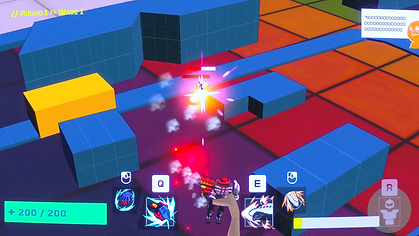
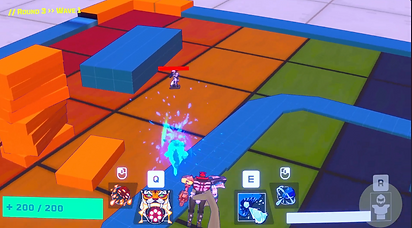
2025 Development Focus
During preproduction, I focused on rapid prototyping and establishing the core technical foundation for several key systems. My work spanned multiple areas including visual effects, combat mechanics, and development tools. Here are the major systems I developed:
Combat System Architecture
Creating responsive and visually clear combat feedback was essential for our fast-paced action gameplay. I developed a comprehensive combat system that handles dynamic interactions between robot abilities and enemy encounters. First was animation-driven combat events.
Animation-Driven Combat Events
-
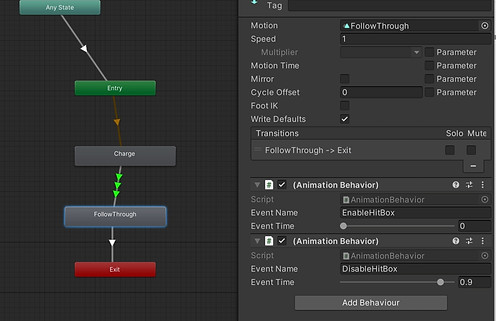
Built a custom StateMachineBehaviour system that triggers events at precise points during animation playback. I then normalized time tracking to ensure events fire consistently, regardless of animation speed and time variations
-
Created an AnimationEventReceiver that manages multiple event callbacks, allowing designers to easily configure different ability behaviors. I also took this approach to give animators complete control over combat timing while keeping the system flexible for different attack types from different robot parts
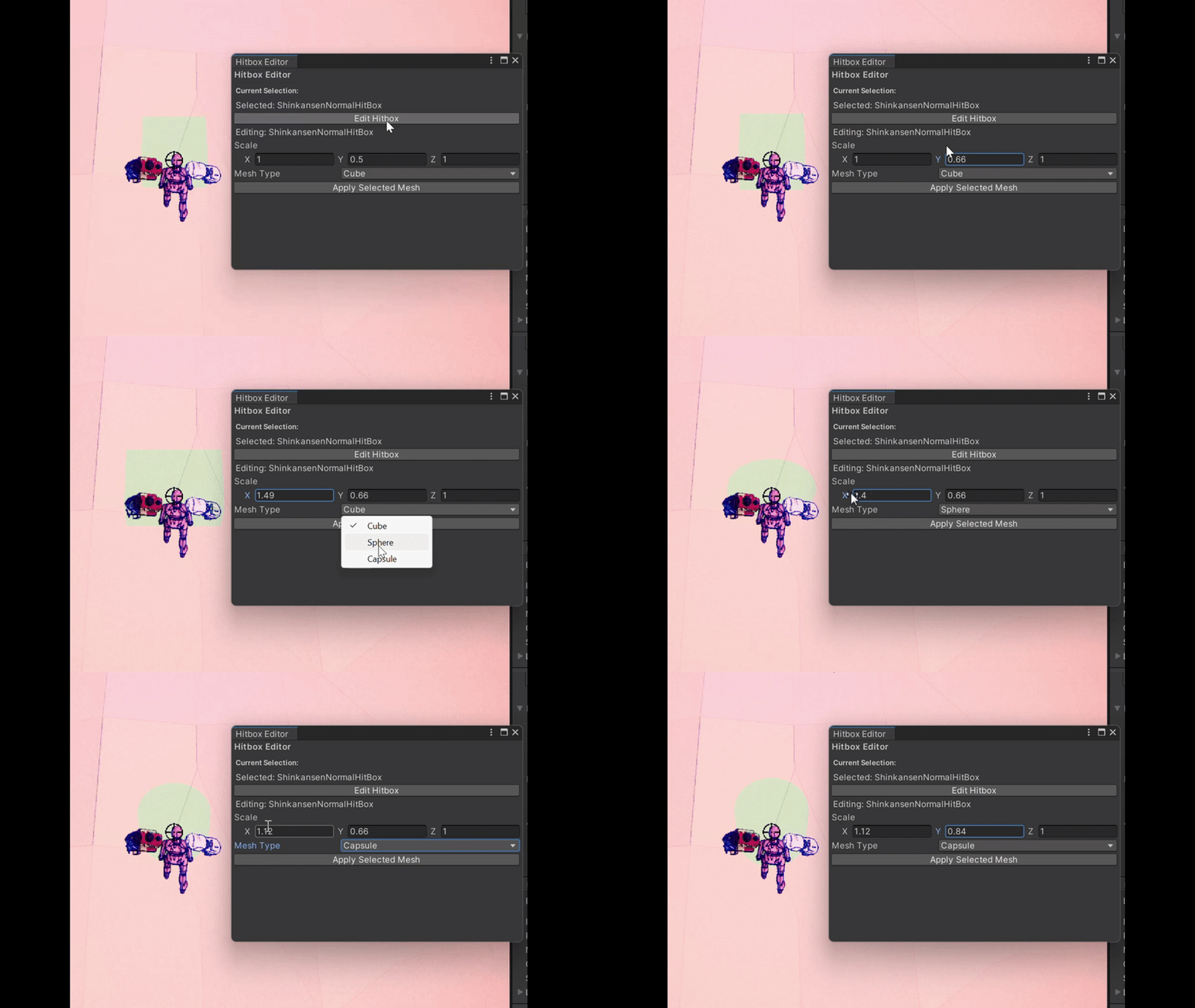
Hitbox Management System
-
Initially, I had each hitbox handling its own events, which got messy fast. Every animation needed its own unique event name just to do basically the same thing - activate a hitbox.
-
So I developed a centralized HitBoxManager that handles the active hitbox states and duration control
-
Created visual feedback where hitboxes change colors when detecting enemy collision vs. idle state to make feedback during development and testing easier as we continue making melee abilities/arm parts
-
Additionally, created a custom window editor where hitboxes can be easily modified in size and shape for designers to test out how each hit may feel
Visual & Shaders
Even though we're still early in development, we wanted to nail down our art direction so our artists would know what they're working toward. Plus, having something that looked decent made playtesting way more engaging than gray cubes everywhere.
Outline Shader
-
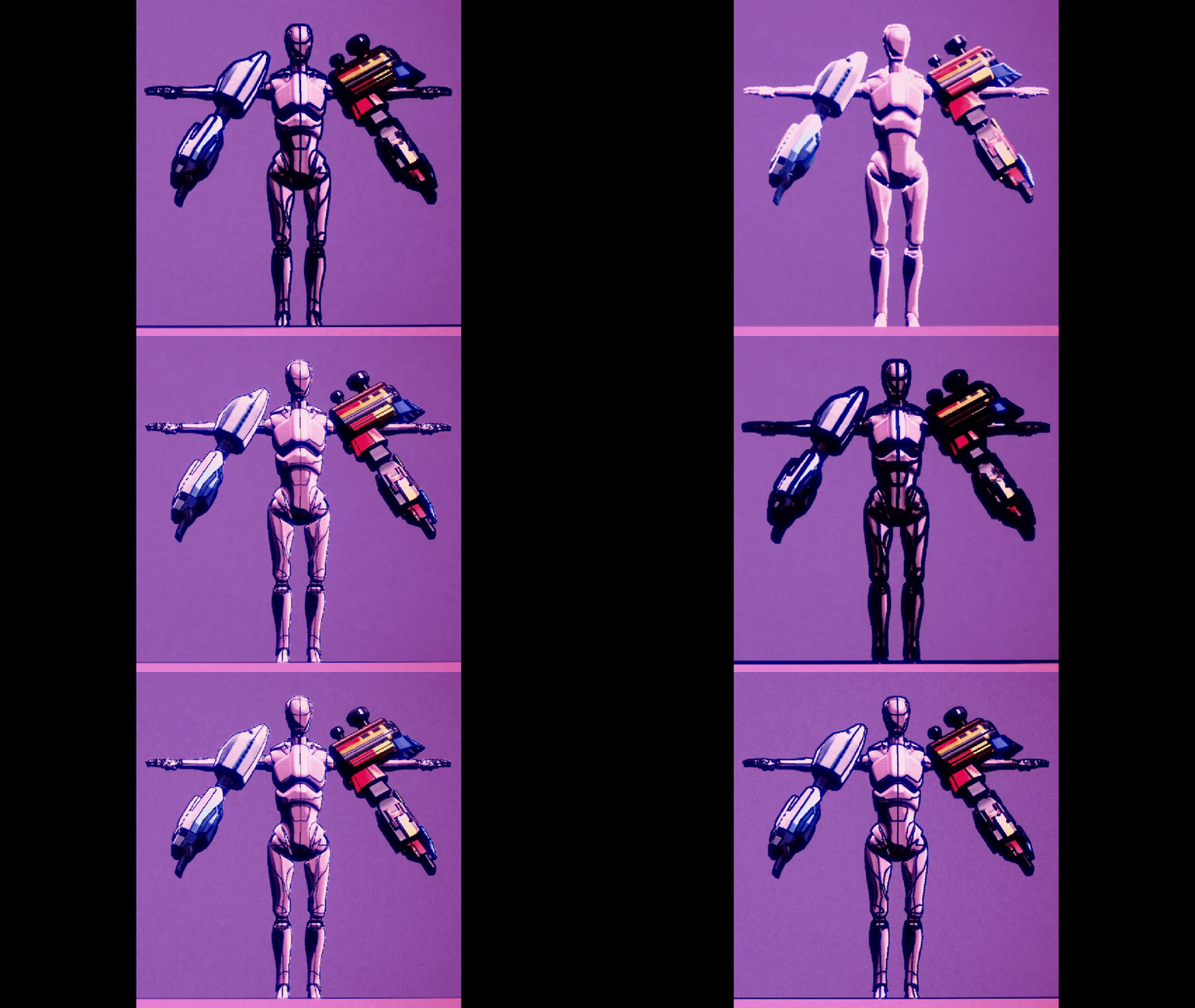
The big visual goal was bridging realistic school environments with that "toys coming to life" fantasy feel, so I started out with an outline shader.
-
Given that our game features numerous enemies and environmental obstacles on screen simultaneously, I chose Sobel edge detection over the more common Roberts Cross method. While Roberts Cross uses a smaller 2x2 kernel, Sobel's 3x3 kernel provides better noise resilience and more accurate edge detection in busy scenes - crucial for maintaining visual clarity during intense gameplay moments.
-
Initially worked with depth-only detection from the camera
-
Added normal-based edge detection for clearer object definition and improved outline quality
-
Fine-tuned line thickness since Sobel naturally produces thicker lines due to its broader kernel coverage
-
Balanced the outline intensity to enhance the fantasy aesthetic without overwhelming the gameplay experience
Toy Material Shader
-
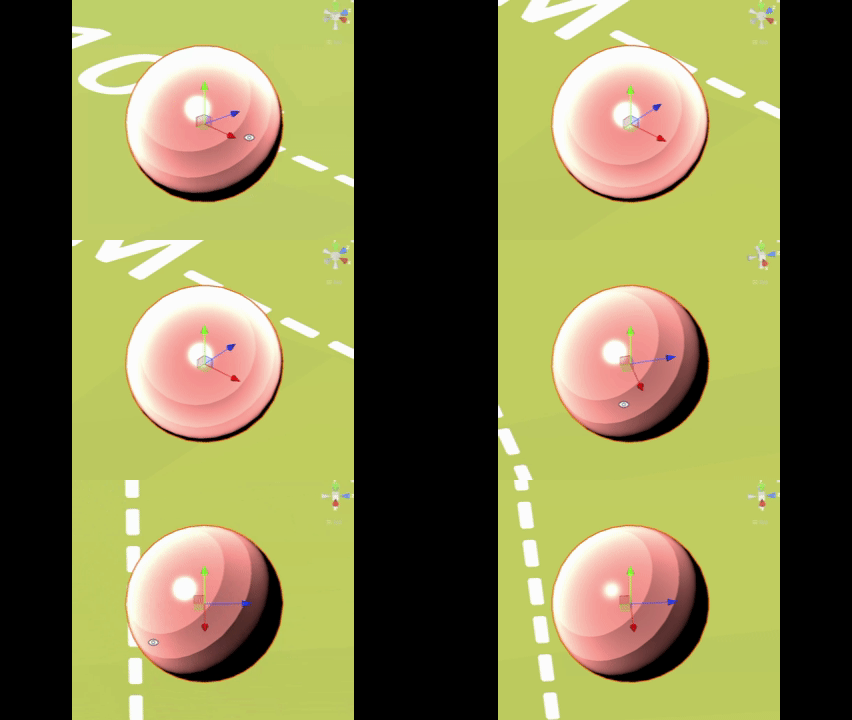
To complement our outline system, I developed a custom toy shader that gives our robot parts that authentic plastic toy appearance.
-
Implemented toon-style using Lambert lighting model as the base. Diffuse lighting with quantized lighting bands (floor function) to create that characteristic flat, toy-like shading
-
Added configurable rim lighting using dot product calculations between surface normal and view direction for that plastic edge highlight
-
Calculated specular reflections using the Blinn-Phong model with customizable specular power ranges to simulate glossy plastic surfaces
-
Included an optional and scalable texture pixelation effect that samples UV coordinates at reduced resolution for a slightly stylized look that some artists wanted.